YouTube downloader and channel archiver

Free YouTube downloader and channel archiver.

Follow a channel and StreamStash keeps every video, Short, live VOD and Community post in a library on your PC. Or paste one link and save it, up to 4K or as an MP3.

Free: up to 1080p, MP3 audio included, no card. Windows 10 and 11.

Channel page · videos, Shorts, live VODs and posts

The real StreamStash app, recorded from a demo library. The channel is made up.

Everything a channel postsVideos, Shorts, live VODs and Community posts, in one place.
Community posts keptText posts, photo posts and polls, which other tools skip.
Subtitles and chaptersEnglish subtitles saved, with a CC toggle in the player.
Up to 4K1080p on Free, 4K on the paid plans, MP3 on every plan.
Everything stays localFiles go to a folder you choose. Nothing is uploaded.

Follow a channel. Keep all of it.

Add a channel once and StreamStash fills in its back catalogue gradually, then saves each new upload as it appears. If the channel is ever deleted or goes private, your copy stays.

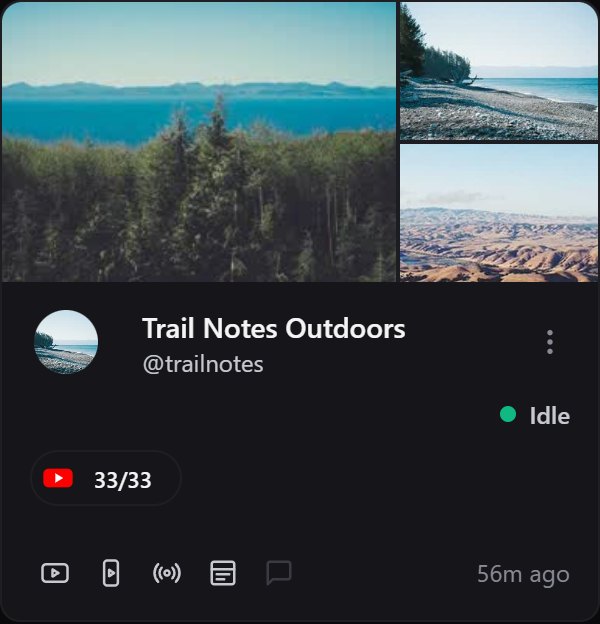
A followed YouTube channel in StreamStash: Trail Notes Outdoors, 33 of 33 downloaded
Channels and playlists

The whole channel, kept in sync.

Older videos fill in a little at a time, so nothing floods at once. Playlists work the same way.

  • 5 channels on Free
  • Choose what to keep, per channel
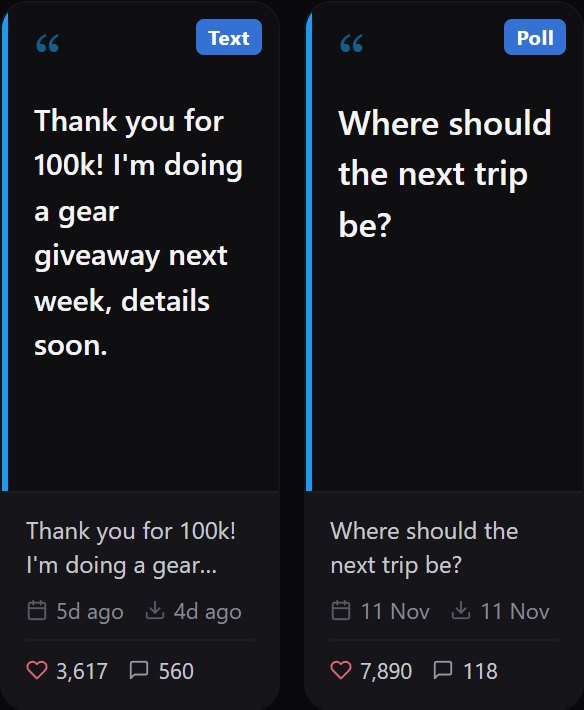
Two YouTube Community posts saved in StreamStash: a text post thanking subscribers and a poll asking where the next trip should be
Community posts

The posts other tools forget.

Text posts, photo posts with every image, and polls with their options, saved with the rest of the channel.

  • Likes and comment counts kept
  • Shown in the same library
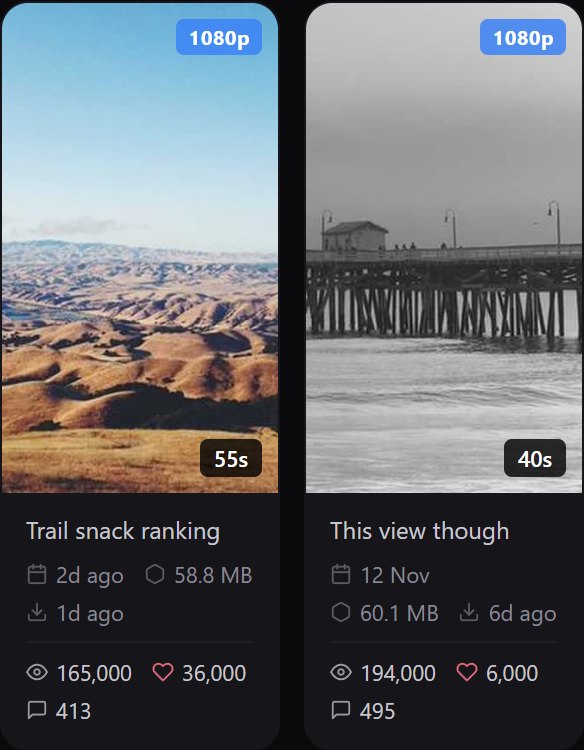
Two YouTube Shorts saved in StreamStash, 55 and 40 seconds long, at 1080p
Shorts and live VODs

Shorts and past streams too.

Shorts land beside the regular videos, and finished live streams are saved at full length.

  • Subtitles and chapters included
  • Views and likes refresh over time
Quick Download

Just need one video? Paste the link.

Paste a video, a Short or a whole playlist, check what it is, and pick the quality before it downloads. No channel to follow, no daily cap.

  • 720p, 1080p or Best, up to 4K on the paid plans
  • MP3 audio only, free on every plan
  • A whole playlist in one paste
Quick Download · pick the quality

The clip is stock footage.

Archiving a channel before it disappears?

Channels get deleted, go private, or pull old videos without warning. Here is how to keep a full copy of a channel, and what StreamStash saves along the way.

Free to start. 4K when you want it.

YouTube works on every plan with no limit on how many videos you download. One-time prices, no subscription.

Free£0Personal£20 one-timePower£40 one-time
Follow channels and playlists (feeds) 515 Unlimited
Videos, Shorts, live VODs and Community posts ✓✓ ✓
Quality on followed channels 1080p1080p 4K
Quality on Quick Download 1080p4K 4K
MP3 audio from any video or Short ✓✓ ✓
English subtitles and chapters saved ✓✓ ✓
DownloadChoose PersonalChoose Power

Free also covers TikTok, Twitter/X and Twitch. Personal adds Instagram, Threads, Telegram and Kick. Power adds every source plus AI search and duplicate detection.

YouTube downloader FAQ.

Is StreamStash free for YouTube?

Yes. YouTube works on the free plan: follow channels with the free feed allowance, paste any link for a one-off download, and save MP3 audio at no cost. Free downloads reach up to 1080p, with 4K on the paid plans. No card is needed.

Can I download a whole channel or playlist?

Yes. Follow a channel and StreamStash keeps its uploads in sync, filling in older videos gradually so nothing floods at once. Paste a playlist link to grab all of it at once, or follow the playlist so new additions are saved too.

Does it save Community posts?

Yes. A channel's Community posts are kept with the channel: text posts, photo posts with every image, and polls with their options. Other downloaders skip them entirely.

How do I archive a YouTube channel before it is deleted?

Follow the channel in StreamStash and it keeps a local copy of every video, Short, live VOD and post as they are published, so if the channel is later deleted or set to private you still have the full archive.

Does it download Shorts and live stream replays?

Yes. For each channel you choose what to capture: regular videos, Shorts, the recordings of streams that have already ended (live VODs) and Community posts, with one quality setting for the channel.

What quality can I download?

Up to 1080p on the free plan. Quick Download reaches 4K on Personal and Power, and followed channels reach 4K on Power. MP3 audio is free on every plan.

Do I need a YouTube API key?

No, not for downloading. A free, optional YouTube Data API key only adds comment archiving and keeps like and comment counts fresh over time. Without one, view counts still refresh on every check.

Will it upload my downloads anywhere?

No. StreamStash runs on your Windows PC. Your files and your library stay on your own drive, with playback, thumbnails and search built in.

Archive the channels worth keeping.

Start free with one video, then follow the channels you care about. No card, no cloud library.

Download Free

Further reading: backing up a YouTube channel before it is deleted and YouTube archiving.